
Bank Bridge
Prepare payments and reconcile bank statements in Business Central
Bank Bridge brings payments, bank statements and ledger entries together in Microsoft Dynamics 365 Business Central, without requiring the Polish Localization. Prepare outgoing payments, import bank statements and automatically match customer and vendor entries, with mapping for bank charges and an archive of processed documents.
- Prepare and group outgoing payments
- Import and match bank transactions
- Review balances and processed documents
Effortless Payment Processing
Seamlessly processes payments directly from Business Central.
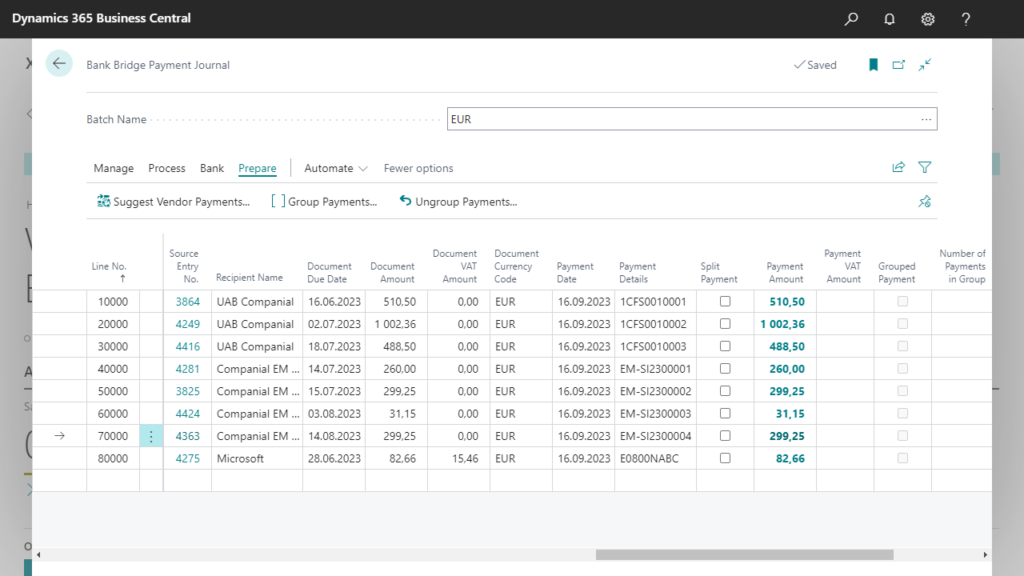
- Prepare and export payments directly from Business Central, saving valuable time and resources.
- Group multiple payments destined for a single vendor into a consolidated transfer.
- Organize payment journals for specific accounts, currencies and payment methods.
Automated Bank Statement Handling
Imports bank statements automatically, precisely recognizes suppliers and customers.
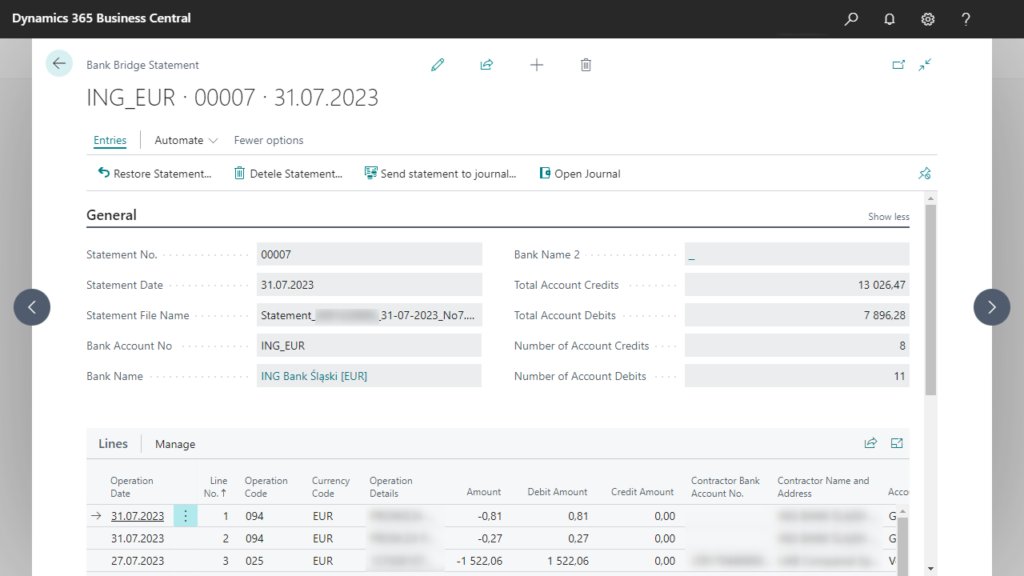
- Import bank statements directly into Business Central for swift and automated reconciliation.
- Recognize vendors and customers automatically, applying ledger entries with precision.
- Control the number of operations and the totals of debit and credit operations.
Bank Operations Mapping
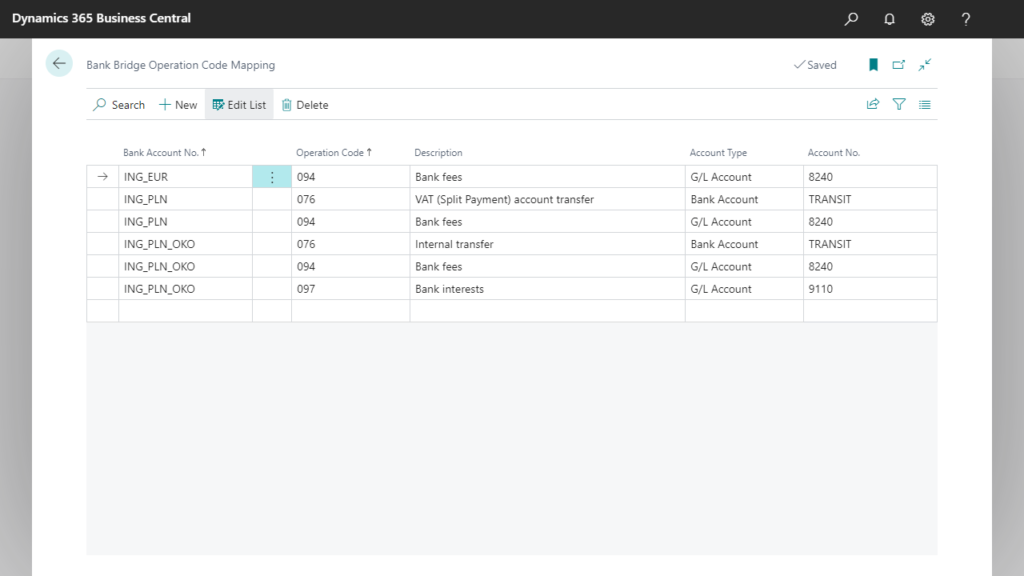
Map bank operation codes to accounts, smoothly managing bank charges and other transactions during statement import.
- Set default accounts for individual bank account operations to further automate the process of importing and posting bank statements.
- Map bank operation codes to any account type that exists in general journals and cash receipt journals.
Enhanced Cash Receipt Journal
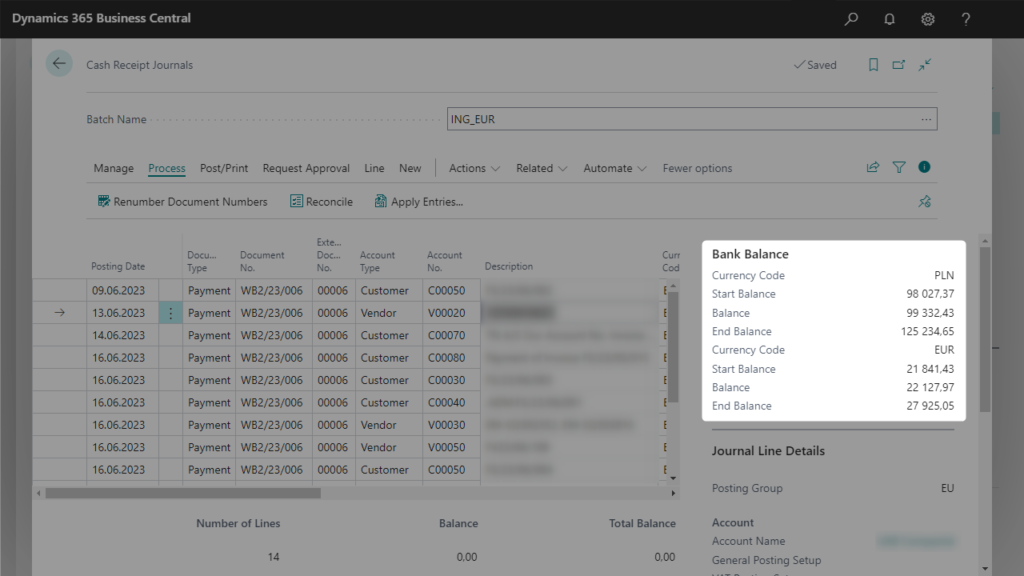
Extension upgrades the standard Cash Receipt Journal, ensuring easy verification of statement balances.
- Verify the Start balance and End balance of the statement before posting.
- Verify the balances in the currency of your bank account and in the local currency.
- Post multiple bank accounts to the same G/L Account and reconcile balances for individual bank accounts without any problems.
Secure and Efficient Communication
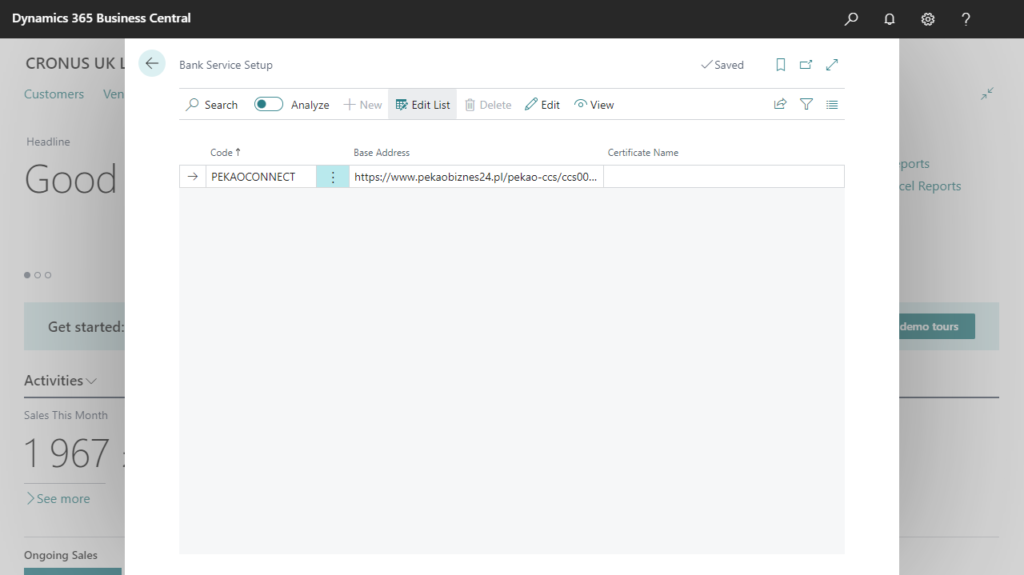
Integrates directly with the bank’s API for secure and efficient communication.
- Safeguard financial transactions with a direct connection to the bank, minimizing the risk of unauthorized access and ensuring data integrity.
- Receive updates on transaction statuses, allowing for prompt decision-making and reducing dependency on manual checks.
- Prepare your financial systems for the future by integrating with the bank’s API, ensuring scalability and adaptability to evolving business needs.
Comprehensive Archive
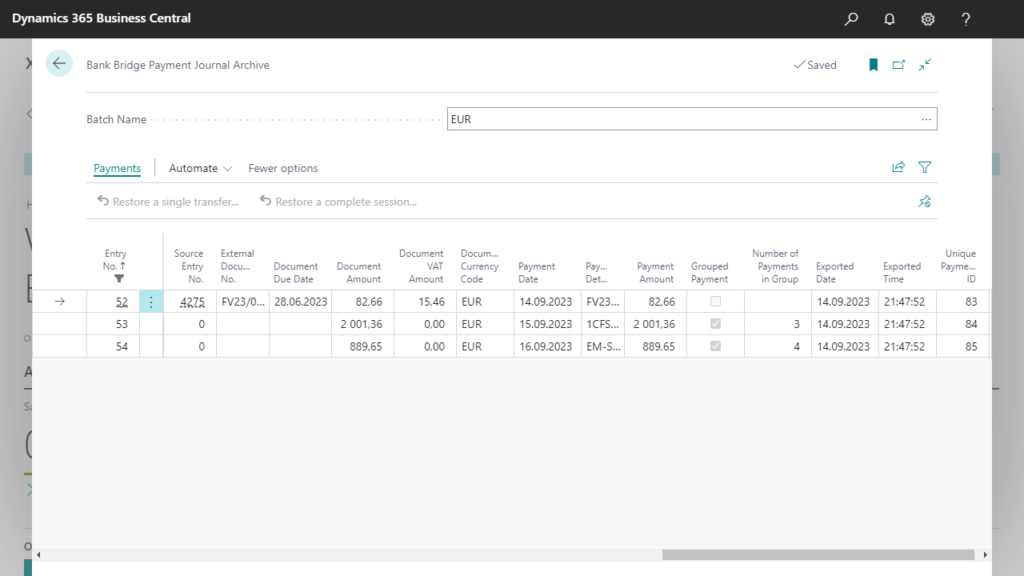
Maintain a thorough archive of bank transfers and statements, providing a clear audit trail for your financial records.
- Thanks to the archive, transfers will not be generated again, even when the statement has not yet been posted and payables entries are not settled.
- Restore transfers from the archive as needed, with full tracking of the restoration maintained.
- Maintain an archive for processed bank statements as well.
Bank Bridge in practice
At the start of the day, the finance team prepares payments for vendor invoices. Bank Bridge helps organise the outgoing transfers, including grouping payments for the same vendor, and supports sending them to the bank through the configured connection or export file.
Later, the team imports a statement containing customer receipts, vendor payments and bank fees. Bank Bridge matches payments to customer and vendor ledger entries and uses predefined mappings to assign bank charges to the appropriate accounts. The accountant reviews the results and checks the statement balances before posting.
The transfer and statement archive keeps processed documents available for later checks. When a vendor asks about a payment or a bank charge needs explaining, the team can return to the archived records. Preparing payments, processing statements and checking previous transactions become parts of the same daily routine in Business Central.