
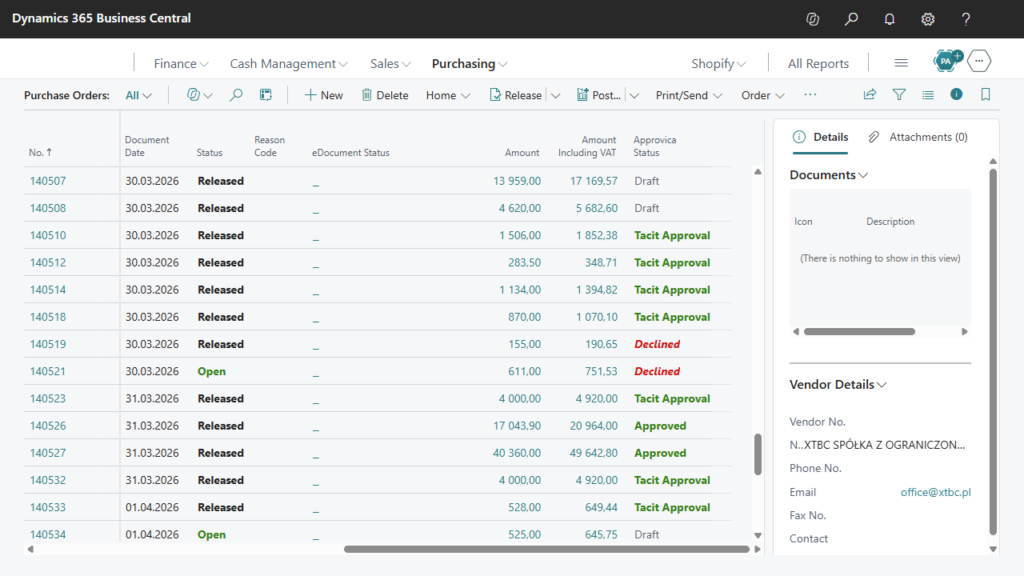
Keep external document approvals connected to Business Central
Some decisions sit outside your company: a customer needs to confirm an offer or a vendor needs to approve a self-billing invoice. Approvica Integration connects Business Central with Approvica so you can collect those responses and follow the approval process from your ERP.
Use external approval for customer offers, self-billing invoices and other supported documents. Start and manage the request from Business Central.
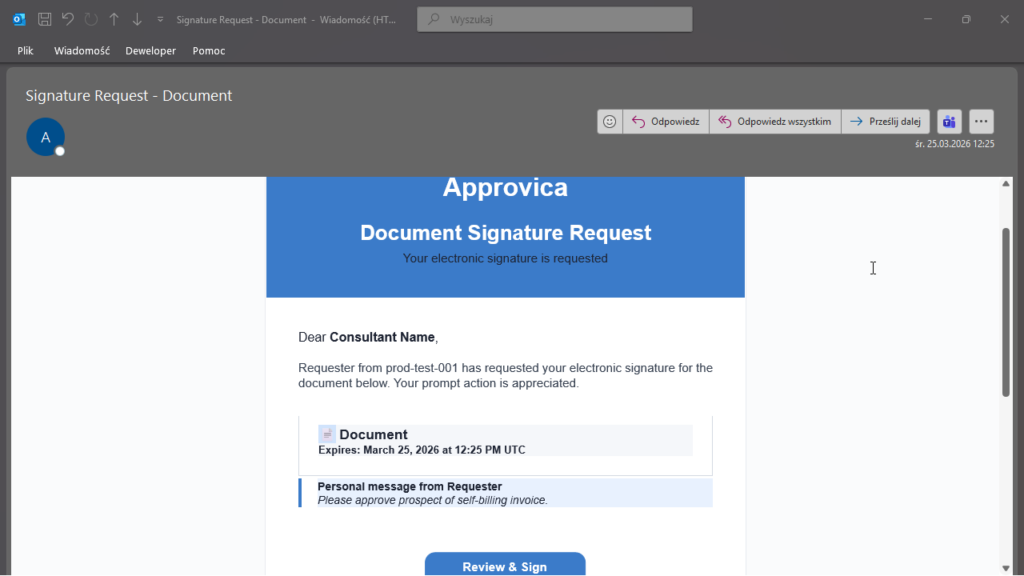
Share a document for external review. Customers and vendors can respond through Approvica without signing into Business Central.
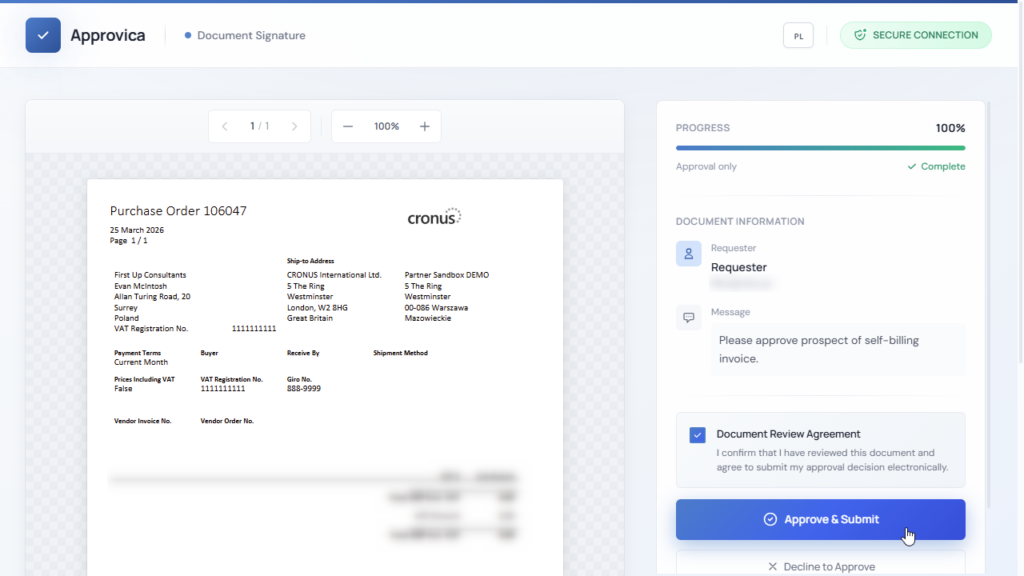
Let the reviewer approve, comment or request changes. Keep feedback associated with the document being reviewed.
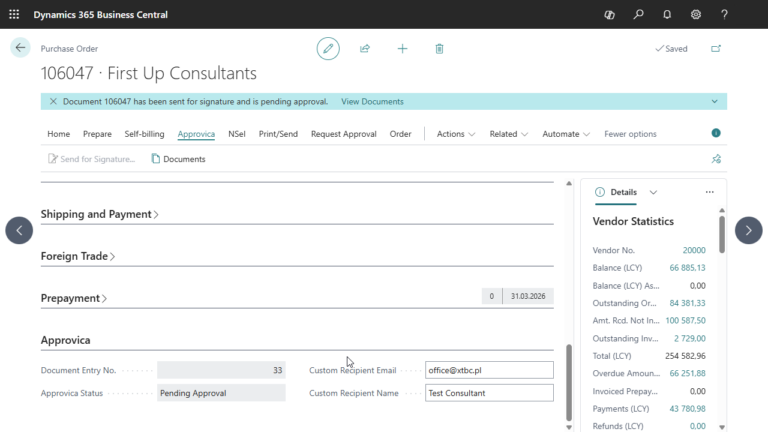
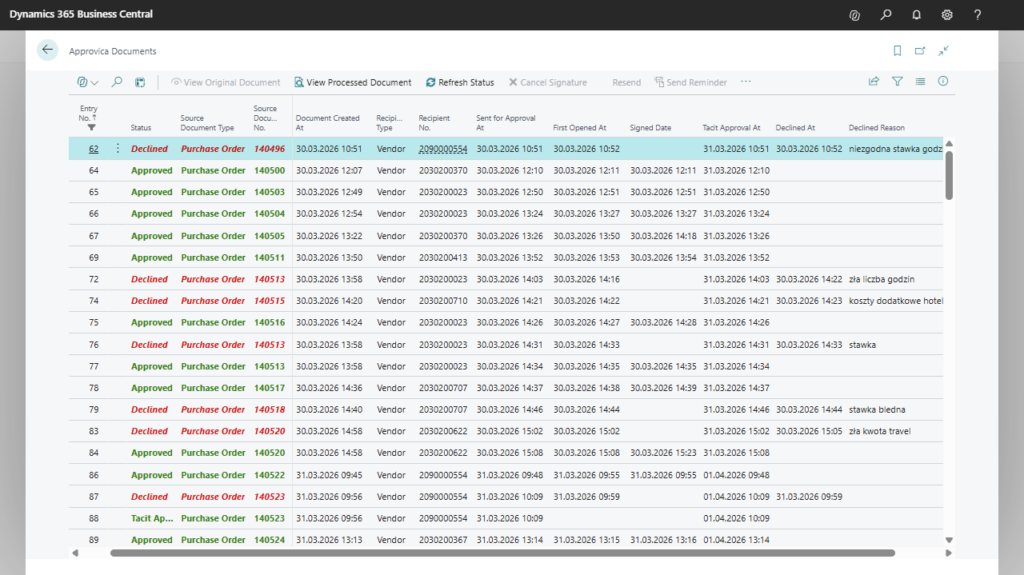
Follow approval status in Business Central and use automated reminders to support follow-up on outstanding decisions.
The finance team prepares a self-billing invoice and sends it to the vendor for review before posting. The vendor needs to check the amounts and either confirm the document or explain what should be changed. Approvica Integration keeps that exchange connected to the Business Central document, so the person preparing the invoice and the person following up can work from the same approval record.
The vendor opens the shared document through Approvica and submits an approval, comment or request for changes without signing into Business Central. The finance team follows the approval status from BC and can see which requests still need attention. Automated reminders support follow-up when a response is outstanding.
If the vendor requests a correction, the team reviews the feedback before deciding how to proceed. Once approval is received, the recorded response provides the context needed to continue processing the invoice. The same approach can be used when a sales team needs a customer to confirm an offer, giving staff a clear record of the decision without having to piece it together from separate email conversations.
Tell us which documents need approval and who needs to respond. We can review the Business Central integration and Approvica setup for your process.