
Turn recurring financial allocations into configured posting rules
Repeated cost allocations take time and depend on consistent accounting logic. Production Cost Allocation creates parallel G/L postings from configured accounts and dimensions, helping finance teams prepare data for internal cost reporting.
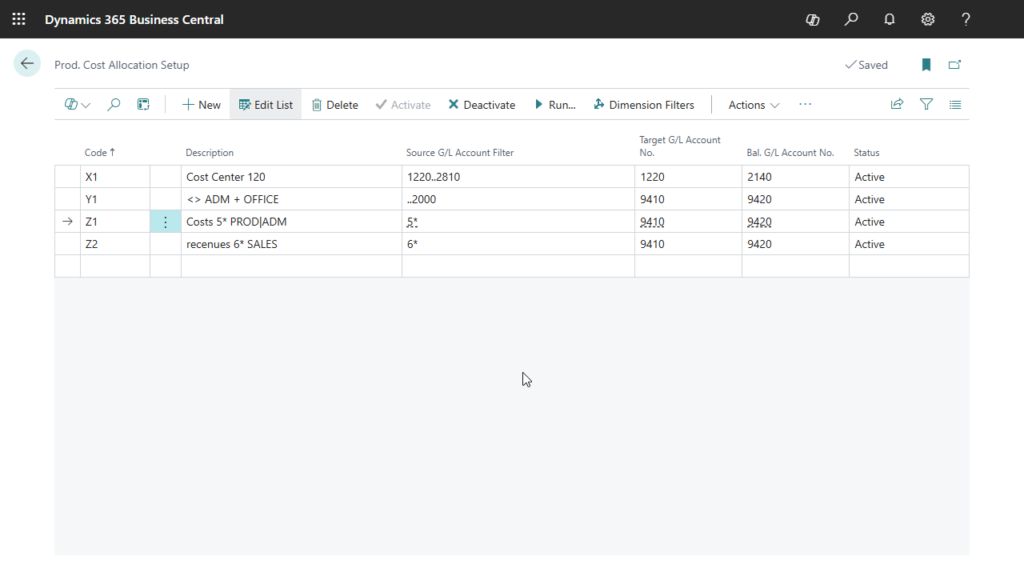
Configure source, target and balancing accounts. Use Business Central source account criteria to define the allocation.
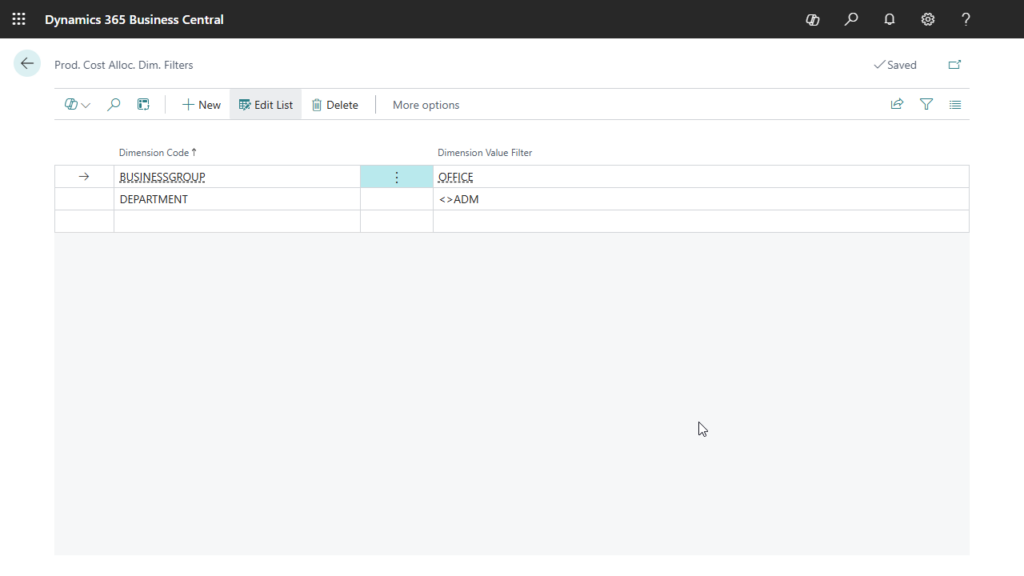
Use dimension filters to select the G/L entries included in each allocation configuration.
Define dimension filters for each allocation rule
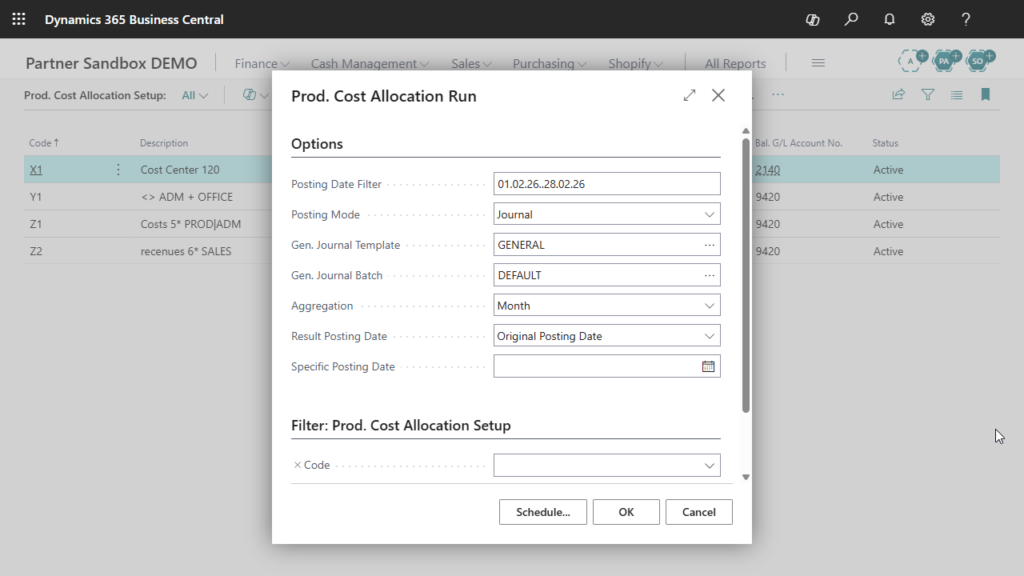
Create an allocation entry for each source posting, or aggregate by day or month to suit your accounting and reporting needs.
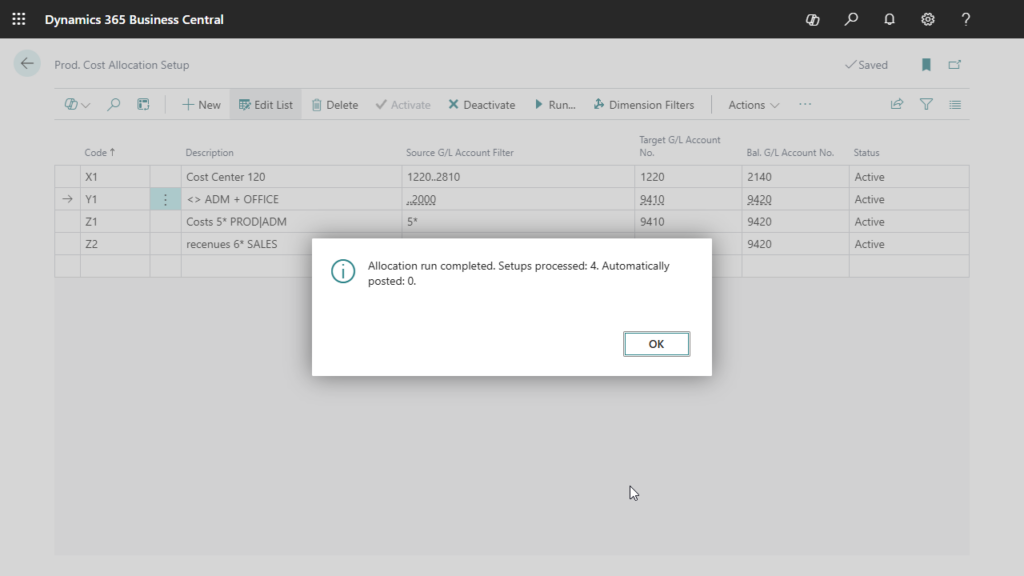
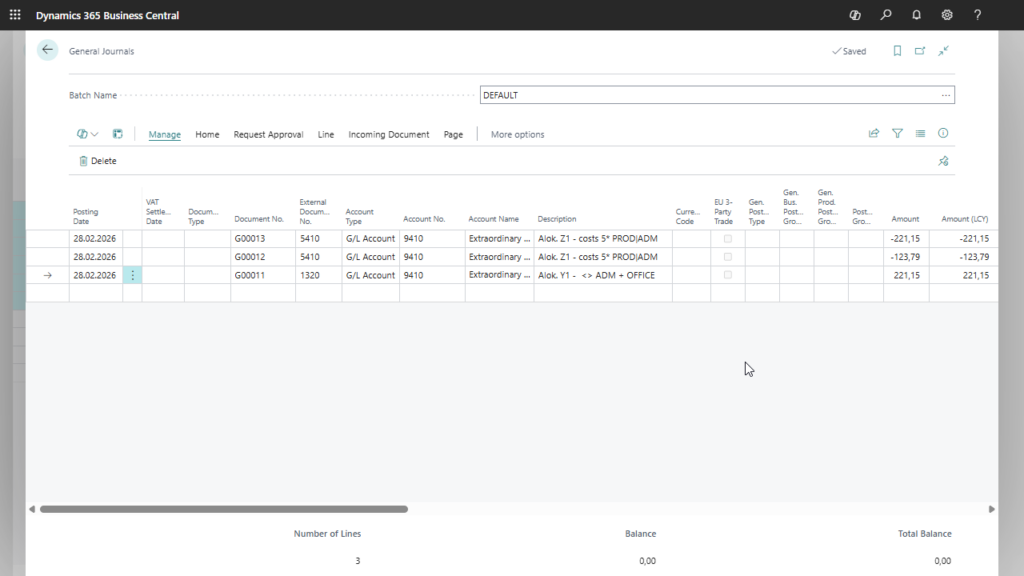
Generate additional G/L Entries from the configured allocation settings. Apply a repeatable process to recurring financial allocations.
Use the resulting financial postings to support cost analysis across departments, projects or other dimensions in your accounting structure.
At month-end, the finance team needs to present expenses in an internal cost structure. The original transactions are posted to G/L accounts with dimensions such as department or project, while internal reporting requires an additional set of financial postings. Preparing these entries manually means repeatedly selecting the relevant transactions and applying the same accounting rules.
With Production Cost Allocation, the team defines which source accounts and dimension values should be included, then assigns target and balancing accounts to each allocation rule. For example, entries belonging to an administrative department can be selected and used to generate parallel postings to the accounts defined for that rule. The team chooses whether to create entries individually or aggregate them by day or month.
In the next reporting period, the same configurations provide the starting point for another allocation run. Finance can review the resulting entries and use the posted amounts in departmental or project cost analysis. This reduces recurring preparation work and helps keep the allocation logic consistent between periods, making the figures easier to compare and explain.