
Arrange courier shipments where your sales and service teams already work
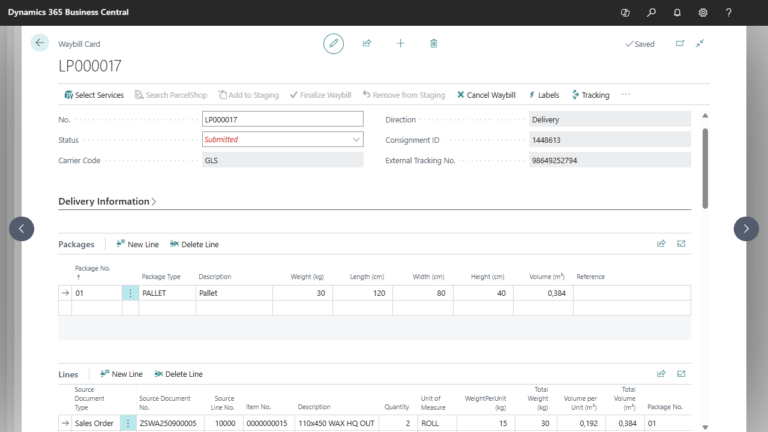
Shipment details are already in Business Central. Logistics Bridge uses carrier APIs to create courier shipments and retrieve labels, connecting dispatch with sales, warehouse and service workflows.
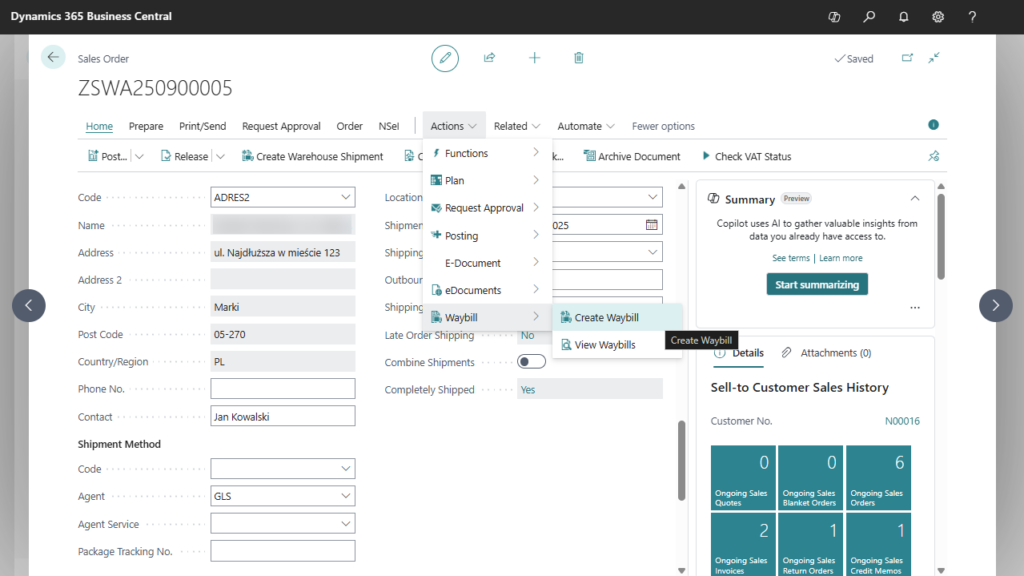
Create courier waybills from sales orders and warehouse shipments. Reduce repeated entry of shipping information.
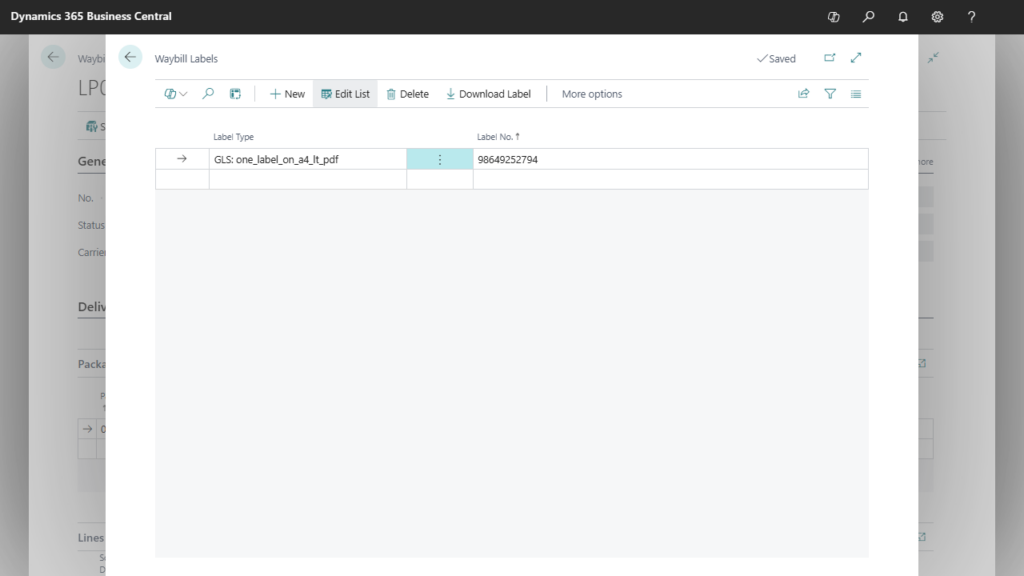
Send shipment requests through the carrier’s API. Retrieve the carrier-issued shipping label and print it from Business Central.
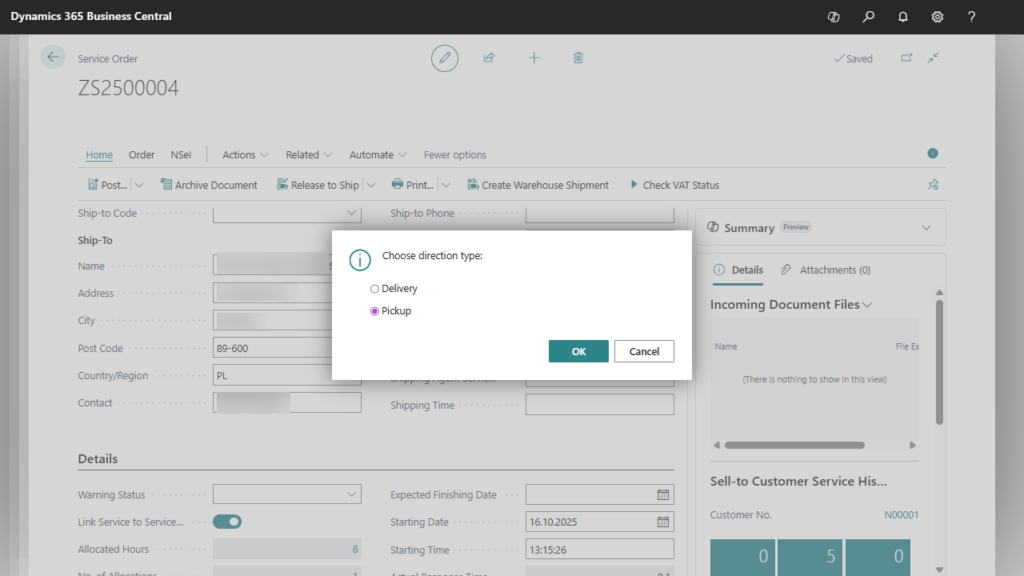
Arrange collection of damaged equipment from a customer and shipment of the repaired item back to them, using service orders.
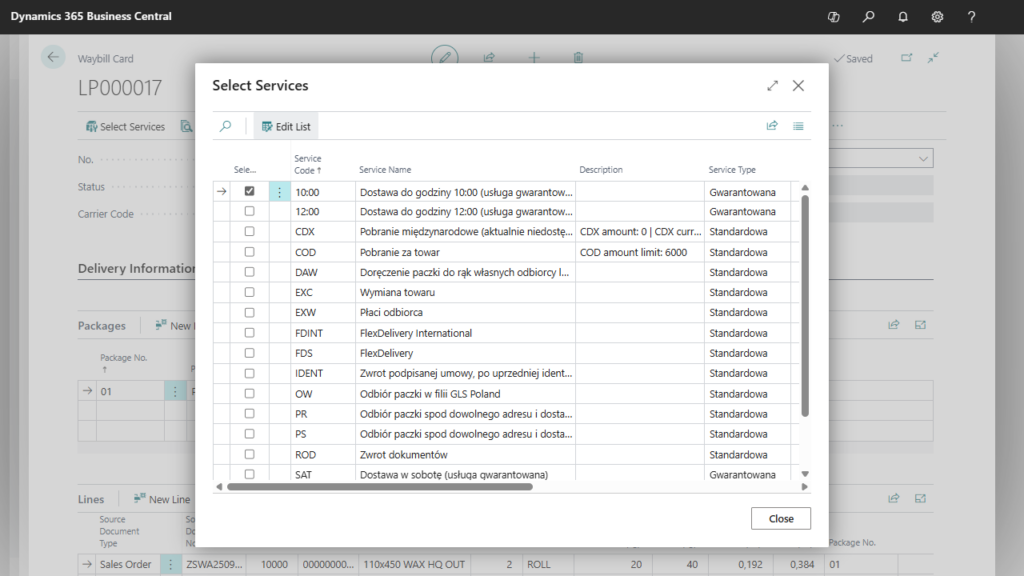
Select additional services directly on the waybill, such as cash on delivery, delivery by a specified time or Saturday delivery. Available options depend on the selected carrier and the configured integration.
Choose additional services for each shipment
Include the selected options in the shipment request
A customer reports a faulty device that needs to be returned for repair. The service team opens the service order and arranges collection from the customer’s address. Logistics Bridge sends the shipment request to the carrier through its API, so the collection can be organised as part of the service process.
Once the repair is complete, the team prepares the shipment back to the customer from the same service order. They check the delivery details, choose any additional services supported by the carrier and retrieve the shipping label for printing in Business Central. Both the collection and the return delivery remain connected to the service order.
For regular sales, the warehouse team uses the same application to create courier waybills from sales orders or warehouse shipments. Shipment requests and carrier-issued labels are handled in Business Central, reducing repeated data entry and the need to switch between Business Central and courier portals. Staff can focus on preparing goods for dispatch and handling delivery requirements.
Tell us which carriers, services and shipment directions you use so we can review the required integration.